
Seven AI Tools for Business Work. One Platform.

We asked teams one question: what work would you hand off if you could? Then we built seven tools to take it. They answer customers, screen candidates, check websites, prepare presenters, run board meetings and track CSR projects.
- No credit card required
- Works with any website
- Live in minutes




Seven tools for One platform.
Seven focused tools to help you solve everyday challenges, reduce manual effort, and move your business forward. Start with the tool that solves your biggest problem today, then add the others as you grow.

Less chasing. More doing.
Most of the working week goes to the work behind the work: answering the same questions, sorting applications, checking pages, chasing updates. Superheroes of Web gives your team tools that handle that routine work, so people spend their time on decisions, conversations and ideas.
One team might start with a chat assistant for customer questions. Another might start with a hiring pipeline. Begin with the problem that costs you the most time, then add tools as you grow.
- Seven focused tools for real business problems
- Clear findings that show what to do next
- More time for work that needs your team
Pick Your Tool
Explore seven powerful business tools designed to simplify everyday operations, automate repetitive tasks, improve productivity, and accelerate business growth. Choose the right business solution for your current needs and scale smarter with tools built to drive efficiency and success.
Book My DemoAn AI Chatbot That Answers From Your Own Content
Make customer support simpler.
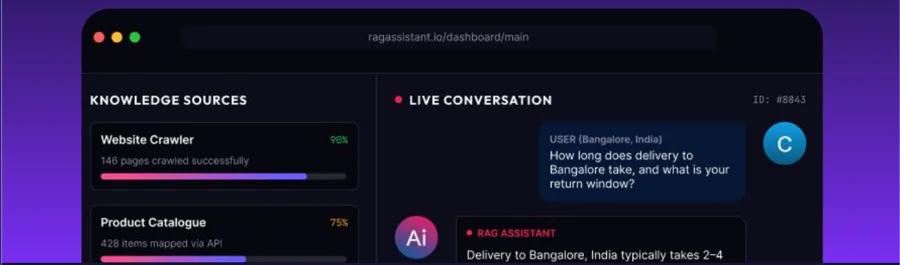
The RAG Assistant is a website chatbot trained on your pages, documents and FAQs. It answers customer questions using only what you have published. If the answer is not in your content, it says so instead of guessing.
Customers ask the same questions all day: delivery times, return rules, pricing, opening hours. The RAG Assistant answers them instantly, at any hour, and shows which page or document each answer came from. When a person needs to step in, it passes the chat to your team with the full history attached.
Knowledge sources
Live conversation
▍
Source: Product catalogue
Answers from your content
Trained on your website, documents and FAQs. If the answer is not there, it says so instead of guessing.
Live in minutes
Crawl your site, upload documents, then add one line of code to your website.
AI and human support
Hands the chat to your team's inbox, with the full history, when a person is needed.
Captures leads while it learns
Collects contact details in the chat and points out gaps in your content, with suggested FAQs to fill them.
Who it's for
How it works
Add your knowledge
Import your website, upload PDFs or paste text.
Embed the widget
Add one line of code to your website.
Answer and convert
Answer instantly, capture leads and hand off to people.
Recruitment Software That Brings Every Hiring Stage Together
Make recruitment simpler.
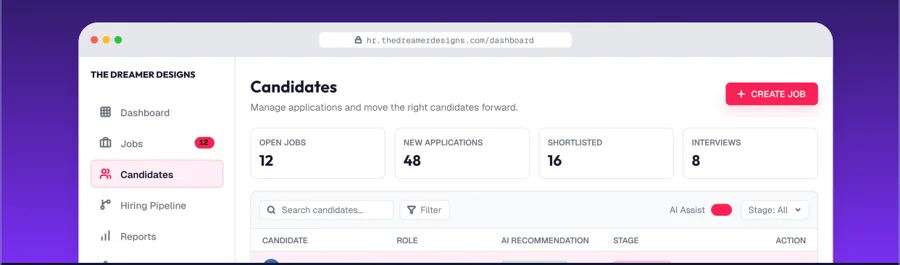
The HR Module is hiring software that keeps jobs, applications, candidate notes and interview stages in one pipeline. It compares each candidate with what the role needs and ranks the strongest matches first.
Hiring slips when applications sit in inboxes and notes live in separate files. In the HR Module you post a role, see every applicant in one list, and move people from review to shortlist to interview to offer without switching tools. Every note stays with the candidate, so the next person to look has the full picture.
Candidates
Manage applications and move the right candidates forward.
Match score for every candidate
Each applicant is compared with the skills the role needs, so the strongest rise to the top.
One hiring pipeline
Move people from shortlisted to interview to offer in one place.
Jobs and candidates together
Create jobs, search and filter applicants, and keep every note with the candidate.
Hiring reports
See open roles, new applications and where each candidate stands.
Who it's for
How it works
Create a job
Post the role and the skills it needs.
Review ranked candidates
See match scores and recommendations.
Move people forward
Shortlist, interview and make offers.
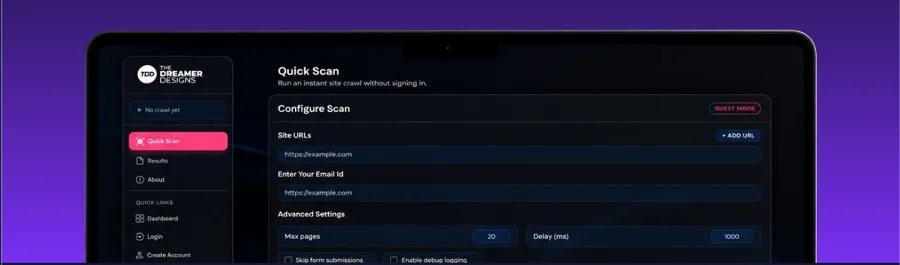
Find Out Why Website Visitors Leave Without Acting
Make website improvements simpler.
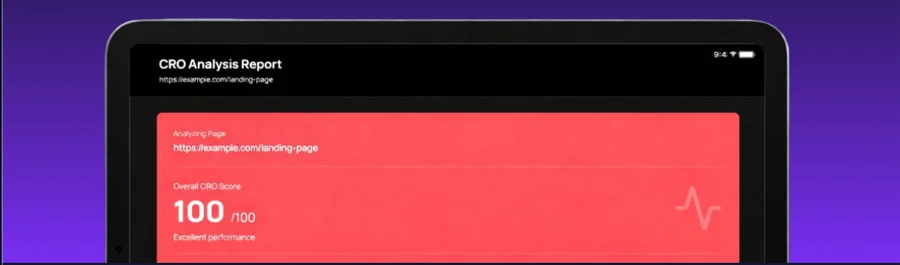
The Conversion Rate Optimizer is a website analysis tool. It shows where visitors hesitate, drop off or get lost, ranks the fixes by impact, and measures what each change did to your conversions.
Traffic is only useful if people sign up, book or buy. This tool reads your pages the way a first-time visitor would, finds the friction, and tells you which change to make first. After you update a page, it shows whether the numbers moved.
Friction points found
See where visitors hesitate, drop off or get lost on each page.
Fixes in priority order
Know which changes will make the biggest difference first.
Before and after tracking
Measure what each change did to your conversions.
Clear reports
Share simple findings with your team and clients.
Who it's for
How it works
Connect your site
Add your pages and conversion goals.
See where visitors drop off
Get friction points and recommended fixes.
Apply fixes and track the lift
Measure the change after each update.
A Website Health Checker That Catches Problems Early
Make website maintenance simpler.
Site Health is a website monitoring tool. It checks your pages around the clock for broken links, slow pages, oversized images and expiring SSL certificates, then gives you one health score and an alert when something breaks.
Most site problems are found by a customer, not by the team. Site Health checks your site continuously, ranks issues by how much they matter, and tells you the moment a new one appears, so a broken link does not sit unnoticed for weeks.
Health score
Needs attention
Always-on checks
Your site is watched around the clock, not only when someone remembers.
Instant alerts
Hear about broken links, errors and slow pages as soon as they appear.
Speed and errors tracked
See which pages are slow and which errors keep coming back.
One health score
A single number that shows how your site is doing.
Who it's for
How it works
Add your website
Enter your URL to start the first check.
Get your health score
See issues ranked by how much they matter.
Fix and stay ahead
Get alerts when something new breaks.
Practice Your Presentation Against the Questions You Will Be Asked
Make message testing simpler.
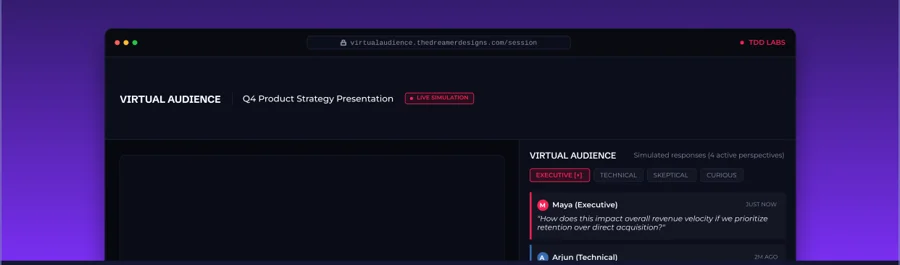
Virtual Audience is a presentation practice tool. You upload your deck, pick the kind of audience you want to face, and it asks the questions and raises the objections that group is likely to bring, slide by slide.
The hard part of a pitch is rarely the slides. It is the question you did not see coming. Rehearse in front of an executive, a technical expert, a sceptic and a curious newcomer, see which points need more proof, and draft your answers before you walk into the room.
Q4 Growth Strategy
How we're planning to scale without increasing operational complexity.
01Increase qualified demand via targeted product campaigns
02Reduce operational friction with automated client handoffs
03Improve customer retention through personalized success playbooks
"How does this affect revenue if we put retention ahead of new customers?"
"How would client success fit within our current CRM limits?"
"What happens to timelines if adoption is lower than estimated?"
"What's the biggest operational risk to executing this plan on time?"
Your audience may want more clarity around expected business impact.
“What measurable outcome should we expect in Q4?”
Four audience views
Rehearse in front of executive, technical, sceptical and curious perspectives.
Questions as you present
Practice questions appear slide by slide, as they would in a real room.
Likely objections flagged
See which points need more proof before you go in.
Prepared responses
Draft and refine your answers to the questions that matter most.
Who it's for
How it works
Upload your presentation
Add the deck you are preparing.
Choose your audience
Pick the perspectives you want to face.
Rehearse and refine
Answer questions and sharpen your message.

Your Favourite
Platforms. Now
With Superpowers.
Add Superheroes of Web tools to the website and software your team already uses. No rebuild needed.
Book My Demo



Board Meeting Software for Agendas, Decisions and Follow-Ups
Make follow-through simpler.
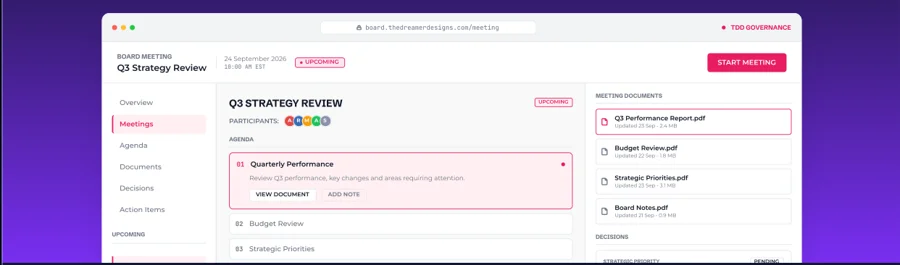
The Board Meeting tool keeps the agenda, papers, decisions and action items of every meeting in one place. Each decision is recorded as it is made, and every follow-up gets an owner and a due date.
Meetings end with clear decisions. Then follow-ups slip and owners are forgotten. Here, everyone reads the same papers before the meeting starts, decisions are approved or sent back for changes on the record, and actions are tracked until they are closed.
10:00 AM EST UPCOMING
Q3 STRATEGY REVIEW
UPCOMINGReview Q3 performance, key changes and areas requiring attention.
Agenda and documents in one room
Everyone reads the same papers before the meeting starts.
Decisions on record
Approve or request changes, and keep every decision in one place.
Actions with owners
Each follow-up gets an owner and a due date.
Prepare, discuss, decide, follow up
One flow from the first agenda item to the last action closed.
Who it's for
How it works
Prepare the meeting
Set the agenda and share documents.
Discuss and decide
Record each decision as it is made.
Follow up
Track actions until they are done.
CSR Management Software to Track Every Project in One Place
Make impact monitoring simpler.
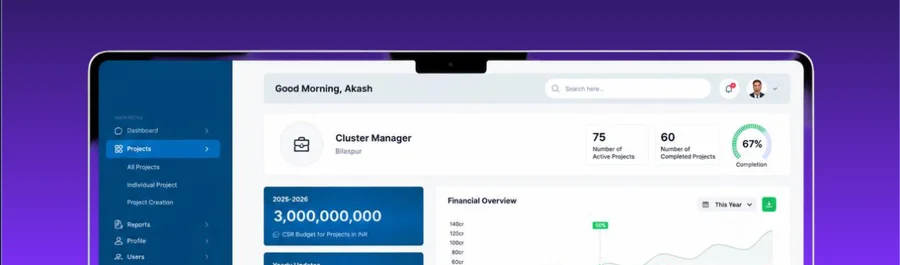
The CSR Monitoring tool brings project progress, funding, spending and outcomes into one view. It replaces scattered spreadsheets, emails and partner reports, and produces board-ready updates without rebuilding them each quarter.
CSR updates usually sit in too many places: a spreadsheet here, a partner email there. This tool holds every programme, partner and budget together, so you can see what has been delivered, what has been spent and what is due next.
CSR programmes · FY 2026
3 activeProgramme insights
Every project in one view
See the progress of each programme and partner at a glance.
Funding and spend
Track budgets against what has been spent.
Outcomes that count
Record the results each project delivers.
Reports ready to share
Produce board-ready updates without rebuilding spreadsheets.
Who it's for
How it works
Add your projects
Bring in programmes, partners and budgets.
Track progress
Update spend and outcomes as they happen.
Report with confidence
Share clear updates with your board.
Every team deserves a superpower.
For the people answering questions, hiring talent, improving websites and keeping projects moving. Pick your team to see the tools made for it.
Answer repeat questions, capture leads and bring in a person when needed.
Your Queries Are Our Priority.
Quick answers for the people answering questions, hiring talent, improving websites and keeping projects moving.
We offer seven tools built to take on the work behind the work: RAG Assistant, HR Module, Conversion Rate Optimizer, Site Health, Virtual Audience, Board Meeting and CSR Monitoring. Each one is designed to solve one specific business problem.
Pick your tool.See it work for your business.
Tell us what slows your team down and which tool you are curious about. We will show you how it works on a real example from your business.